





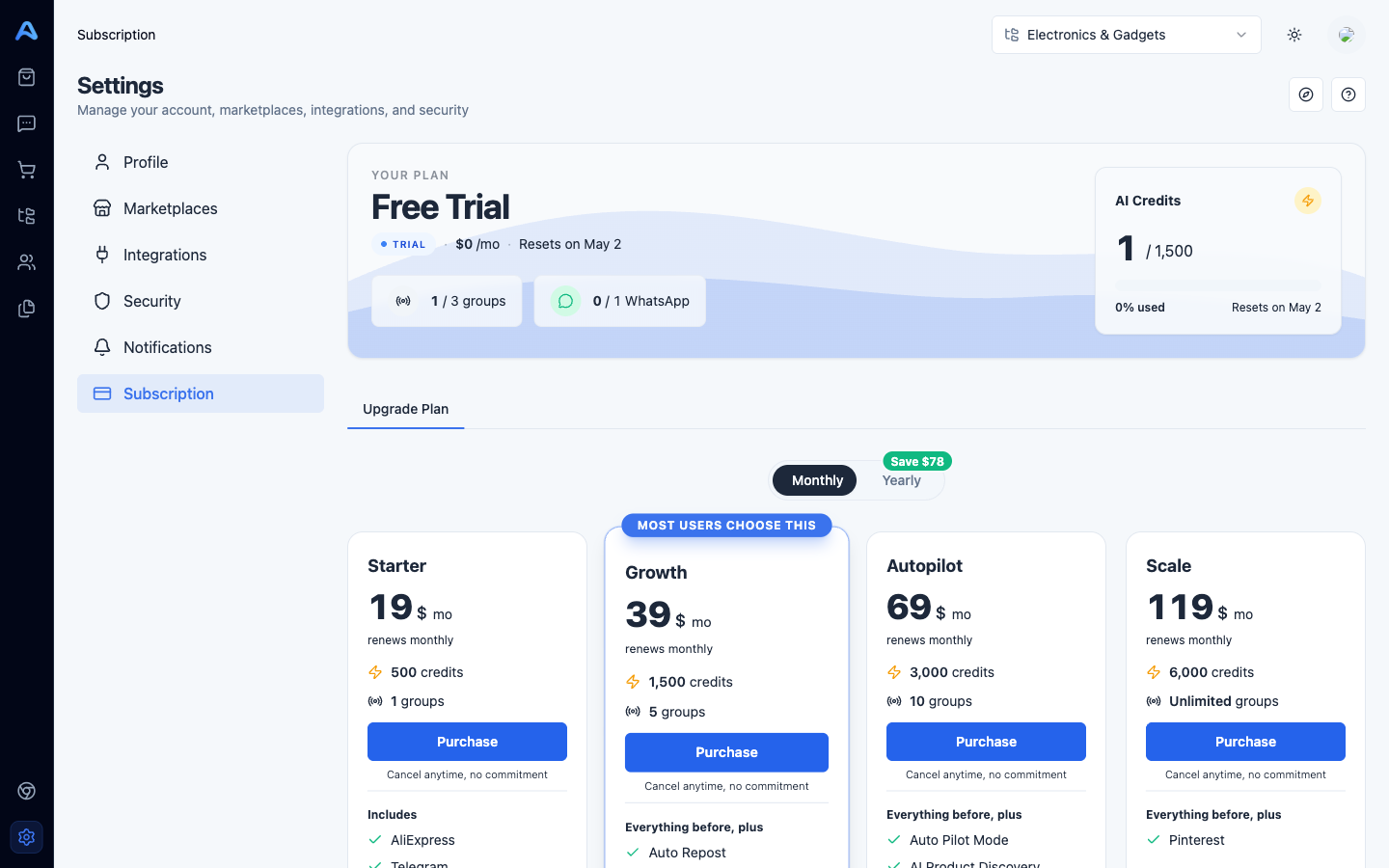
The Subscription tab is where you see your current plan, track AI credit usage, and change plans. The page is split into two sections: a hero card at the top with your live status, and the plans grid below.
Reading the hero card
- Plan name — the plan you are currently on, with a status pill (Active, Trial, Canceled, or Past Due) and the price you pay.
- Renews / Ends — the next renewal date if your plan is renewable, or the end date if you have cancelled.
- Groups usage — how many groups you have connected versus your plan limit.
- WhatsApp usage — only shown if your plan includes WhatsApp; same format as groups.
- AI Credits widget — used / total for the current period, with a progress bar that turns amber at 70% and red at 90%.
What an AI credit is spent on
Credits are consumed by Afflow's AI when it does work for you. The two biggest uses are writing posts (1 credit per post created, plus 1 credit per generated variant) and translation at publish time when a post is sent to a group whose language differs from the category. Credits reset at the start of every billing period — the reset date is shown next to the credits bar.
The four plans
The plan cards show monthly pricing as the headline number. Toggle between Monthly and Yearly at the top — yearly is roughly two months free, with the savings displayed on the toggle pill. Prices show in USD by default and in NIS if your account language is Hebrew.
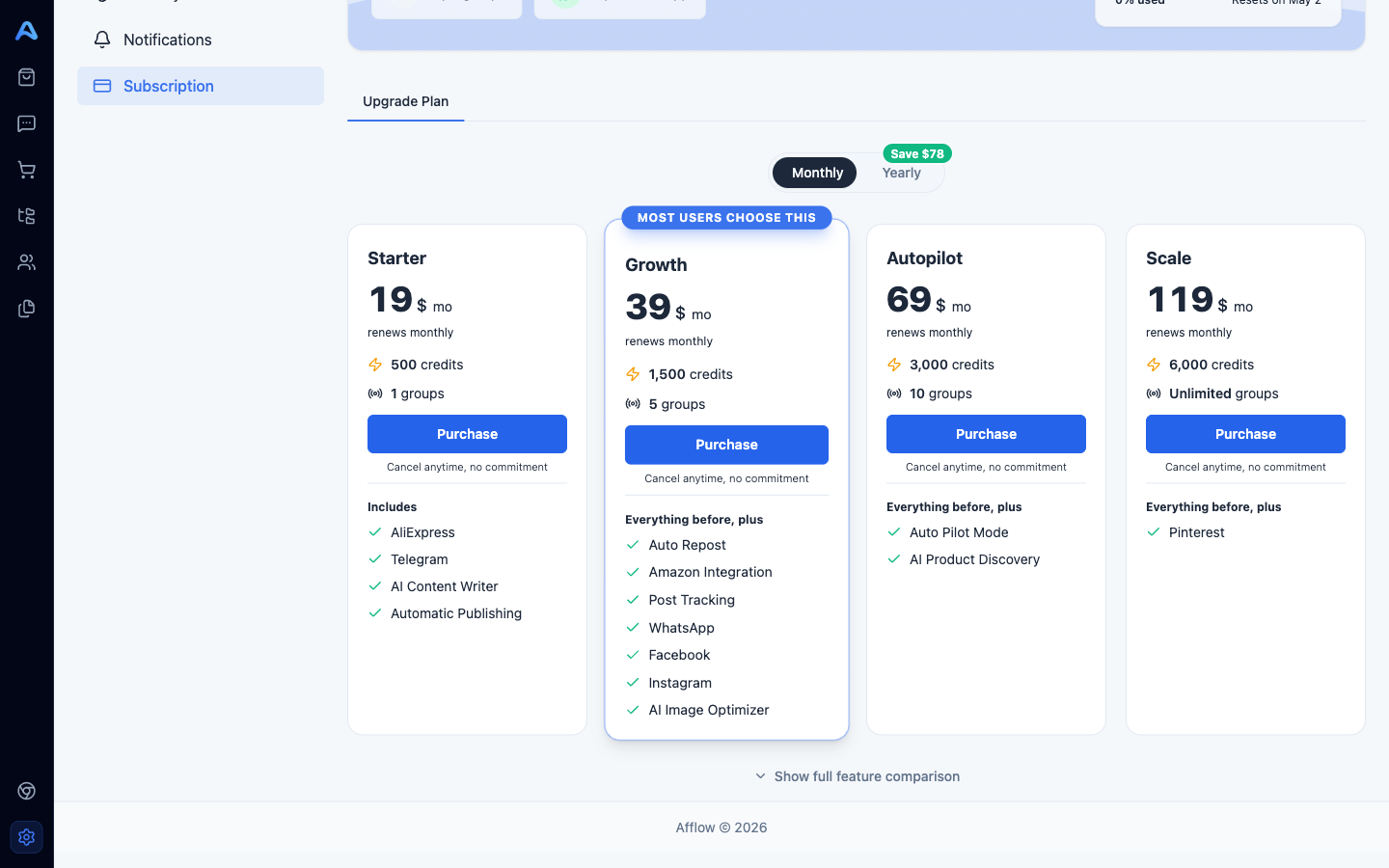
- Starter — entry plan: 500 credits, 1 group, AliExpress + Telegram, AI Content Writer, Automatic Publishing.
- Growth — most users choose this: 1,500 credits, 5 groups, 1 WhatsApp channel. Adds Amazon Integration, Auto Repost, Post Tracking, AI Image Optimizer, and unlocks WhatsApp / Facebook / Instagram / Pinterest publishing.
- Autopilot — 3,000 credits, 10 groups, 2 WhatsApp channels. Adds Auto Pilot Mode (skip the Pending step) and AI Product Discovery (the AI suggests products to add to your catalog).
- Scale — 6,000 credits, up to 100 groups, 3 WhatsApp channels. Highest capacity tier with advanced P&L reporting.
Each card shows only the features new at that tier — there is a Show full feature comparison link below the cards that opens a complete table of every feature against every plan.
Upgrading, downgrading, and renewing
Click Upgrade or Downgrade on any plan card to open the payment modal. You will be redirected to the secure payment provider to complete the purchase. After a successful payment you are returned to Settings with your new plan active.
Cancelling
Scroll to the bottom of the Plans tab and click Cancel plan. A confirmation dialog explains that you will keep paid features until the end of the current period. After that date your account drops back to the trial limits. To restart, come back to this tab and click Renew on your plan card.