





Approved posts can reach a group in three different ways. They are not mutually exclusive — most accounts use a mix.
Manual publishing
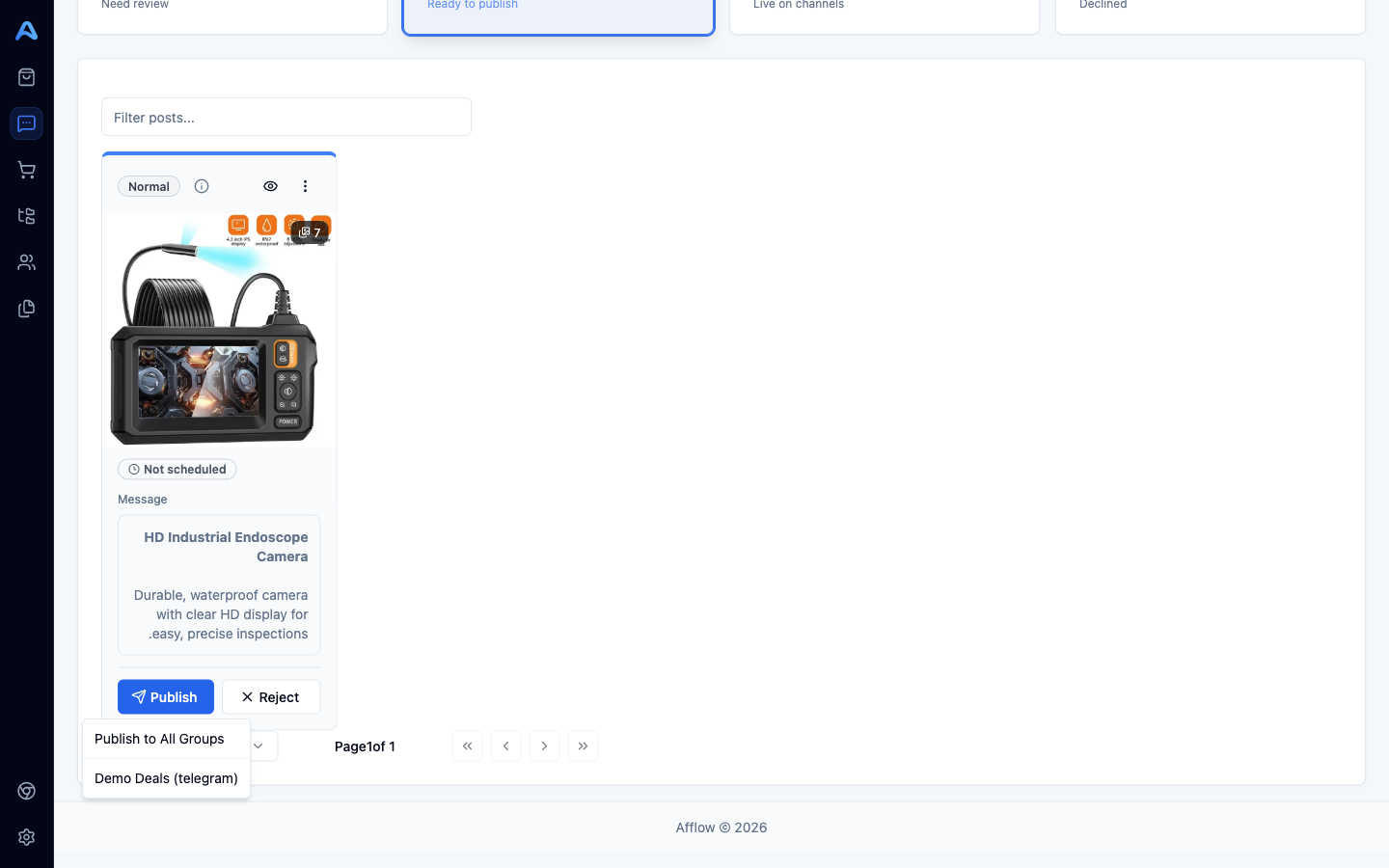
From any approved post you can publish immediately. Two flavours:
- Publish to a single group — pick the group from the post's actions. The post is sent right away.
- Publish to All Groups — sends the same post to every group connected to the post's category, one after another.
Behind the scenes, every publish does the same thing: pick the best message variant for the destination (rotated to avoid repetition), translate the copy if the group's language differs from the category's, apply the category's media settings, generate the tracking link, and send the post to the destination platform (Telegram, WhatsApp, Facebook, Pinterest, or Instagram).
Re-publishing
A post stays in Published after its first send, but you can keep publishing it to more groups. Each new send generates its own fresh tracking link, so per-group analytics stay clean.
Per-post scheduling (the schedule picker)
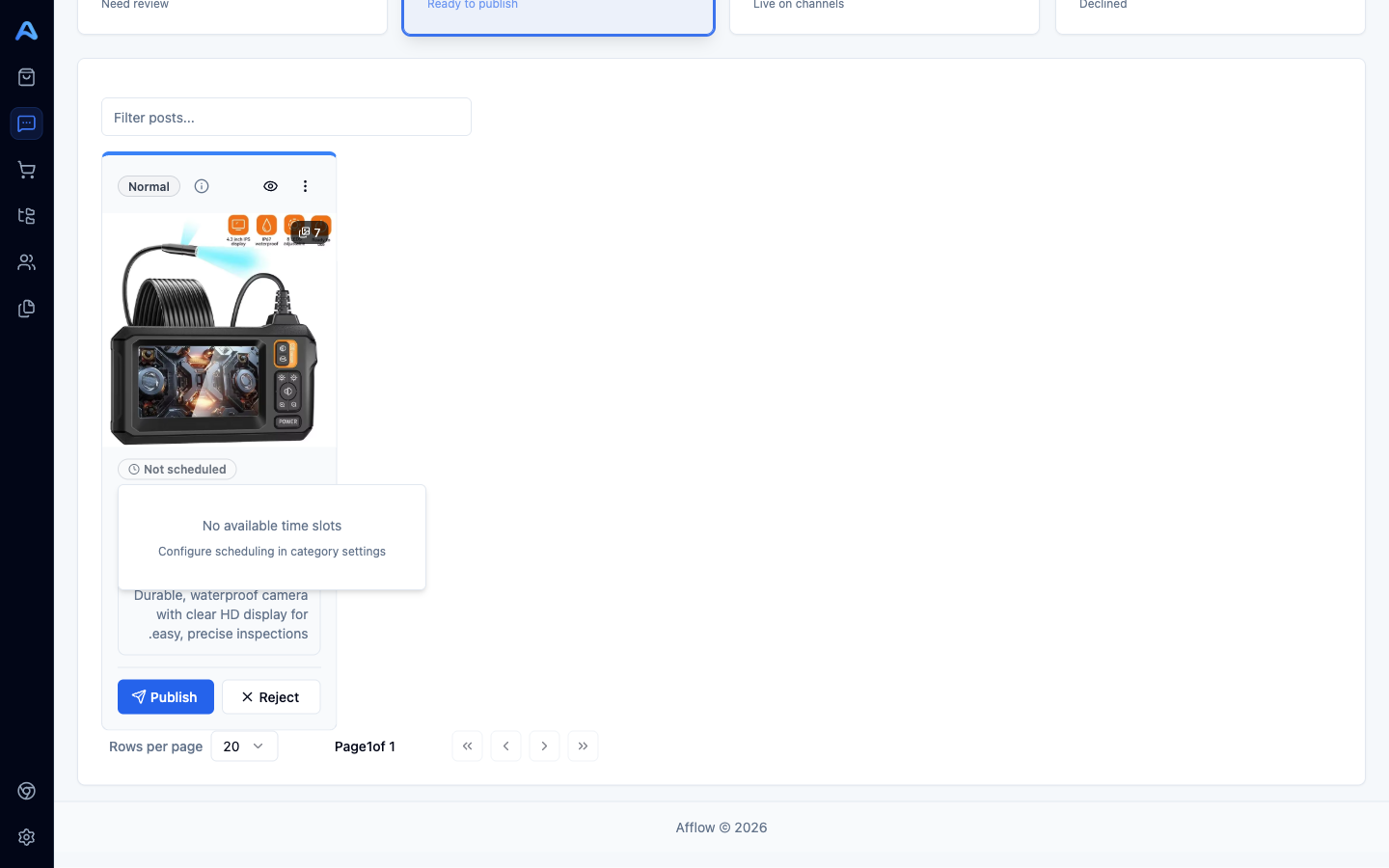
On any approved post, the clock icon opens the schedule picker. It shows the available time slots derived from your category's scheduling settings (the daily window and interval). Pick one, save, and the post is queued. It will publish automatically when that time arrives.
Automatic publishing (category scheduler)
If you enable Scheduling on a category (Posts → Settings → Scheduling), Afflow checks in the background every few minutes and:
- Finds approved posts in that category whose scheduled time has arrived (or assigns a slot if none is set).
- Locks the post so it does not publish twice.
- Sends it to the category's groups, with a small delay between groups to avoid bursts.
- Marks the post as Published.
The schedule respects the category's daily window — posts only publish between the start and end times you set, and never closer together than the interval you chose.
Auto Pilot (skip Pending)
Auto Pilot is a separate feature from Scheduling — they are often confused. Auto Pilot only affects creation: new posts are born as approved instead of pending. Whether they then publish manually, on a per-post schedule, or via the category scheduler is unchanged.
The fully hands-off setup is: Auto Pilot ON + Scheduling ON + at least one group connected to the category. Posts you create get approved automatically, then published on the category schedule, with no manual step in between.